Creating Workflows
Learn how to create effective Hydra workflows.
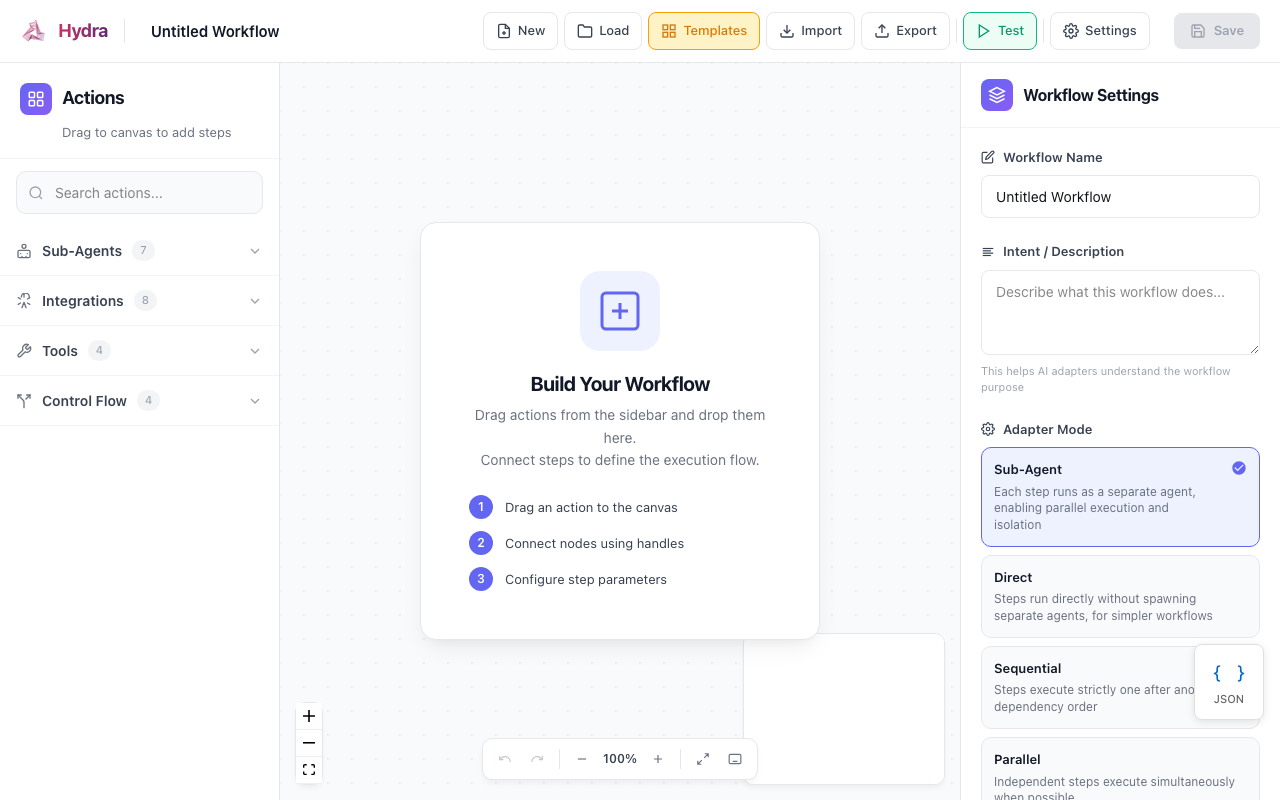
Workflow Structure
Every workflow has three main parts:
- Metadata - Name, intent, and context
- Steps - The actions to perform
- Adapters (optional) - IDE-specific configurations
{
  "$schema": "https://hydra.opiusai.com/schemas/workflow/v1.0.json",
  "manifest_version": "1.0",
  "name": "Workflow Name",
  "intent": "What this workflow does",
  "context": { ... },
  "steps": [ ... ],
  "adapters": { ... }
}
Planning Your Workflow
Before writing a manifest, consider:
- What's the goal? Write a clear intent statement
- What steps are needed? Break down into discrete actions
- What are the dependencies? Which steps need others to complete first?
- What context is required? Language, framework, file paths?
Writing Steps
Basic Step
{
  "id": "analyze_code",
  "name": "Analyze the codebase",
  "action": "analyze_code"
}
Step with Parameters
{
  "id": "run_tests",
  "name": "Run test suite",
  "action": "execute_command",
  "parameters": {
    "command": "npm test",
    "focus": "unit tests"
  }
}
Step with Dependencies
{
  "id": "implement_fix",
  "name": "Implement the fix",
  "action": "edit_file",
  "depends_on": ["analyze_code"],
  "parameters": {
    "files": ["src/buggy-file.ts"]
  }
}
Step with Agent Specialization
{
  "id": "security_review",
  "name": "Security review",
  "action": "analyze_code",
  "agent": "security_expert",
  "parameters": {
    "focus": "OWASP top 10, SQL injection, XSS"
  }
}
Dependency Graphs
Use depends_on to create execution order:
{
  "steps": [
    { "id": "a", "name": "Step A", "action": "analyze_code" },
    { "id": "b", "name": "Step B", "action": "edit_file", "depends_on": ["a"] },
    { "id": "c", "name": "Step C", "action": "edit_file", "depends_on": ["a"] },
    { "id": "d", "name": "Step D", "action": "generate_tests", "depends_on": ["b", "c"] }
  ]
}
This creates:
    A
   / \
  B   C
   \ /
    D
Steps B and C can run in parallel after A completes.
Adding Context
Provide project context to help the AI:
{
  "context": {
    "repo": "my-project",
    "language": "typescript",
    "framework": "React",
    "entrypoint": "src/index.tsx",
    "connectors": ["GitHub", "Slack"]
  }
}
Configuring Adapters
Customize behavior per IDE:
{
  "adapters": {
    "claude": {
      "mode": "sub_agent",
      "config": {
        "spawn_agents_per_step": true,
        "max_parallel_agents": 3
      }
    },
    "cursor": {
      "mode": "direct",
      "config": {
        "use_composer": true,
        "auto_apply": false
      }
    }
  }
}
Best Practices
1. Keep Steps Focused
Each step should do one thing well:
// Good - focused steps
{ "id": "find_bugs", "action": "analyze_code" },
{ "id": "fix_bugs", "action": "edit_file", "depends_on": ["find_bugs"] }

// Avoid - too much in one step
{ "id": "find_and_fix_bugs", "action": "edit_file" }
2. Use Meaningful IDs
// Good
{ "id": "validate_input_schema" }

// Avoid
{ "id": "step1" }
3. Write Clear Intents
// Good
"intent": "Refactor the authentication module to use JWT tokens, update tests, and document the changes"

// Avoid
"intent": "Fix auth"
4. Specify File Paths When Known
{
  "parameters": {
    "files": ["src/auth/login.ts", "src/auth/logout.ts"]
  }
}
5. Use Agents for Specialized Tasks
{ "agent": "test_writer" }      // For generating tests
{ "agent": "security_auditor" } // For security reviews
{ "agent": "doc_writer" }       // For documentation
Complete Example
Here's a full workflow for adding a new feature:
{
  "$schema": "https://hydra.opiusai.com/schemas/workflow/v1.0.json",
  "manifest_version": "1.0",
  "name": "Add Feature Workflow",
  "intent": "Implement a new feature with tests and documentation",
  "context": {
    "language": "typescript",
    "framework": "Express",
    "test_framework": "Jest"
  },
  "steps": [
    {
      "id": "analyze_requirements",
      "name": "Analyze requirements",
      "action": "analyze_code",
      "agent": "architect",
      "parameters": {
        "focus": "existing patterns, integration points"
      }
    },
    {
      "id": "design_solution",
      "name": "Design solution",
      "action": "design_architecture",
      "depends_on": ["analyze_requirements"]
    },
    {
      "id": "implement_feature",
      "name": "Implement feature",
      "action": "generate_code",
      "depends_on": ["design_solution"]
    },
    {
      "id": "write_tests",
      "name": "Write tests",
      "action": "generate_tests",
      "depends_on": ["implement_feature"],
      "parameters": {
        "coverage_target": 80
      }
    },
    {
      "id": "run_tests",
      "name": "Run tests",
      "action": "execute_command",
      "depends_on": ["write_tests"],
      "parameters": {
        "command": "npm test"
      }
    },
    {
      "id": "review_and_commit",
      "name": "Review and commit",
      "action": "review_and_commit",
      "depends_on": ["run_tests"]
    }
  ],
  "outputs": {
    "type": "code",
    "expected_files": ["src/features/*.ts", "tests/*.test.ts"]
  },
  "adapters": {
    "claude": {
      "mode": "sub_agent",
      "config": {
        "spawn_agents_per_step": true
      }
    }
  }
}
Next Steps
- See the HMS Reference for all available options
- Check out Example Workflows
- Learn about Publishing Workflows